


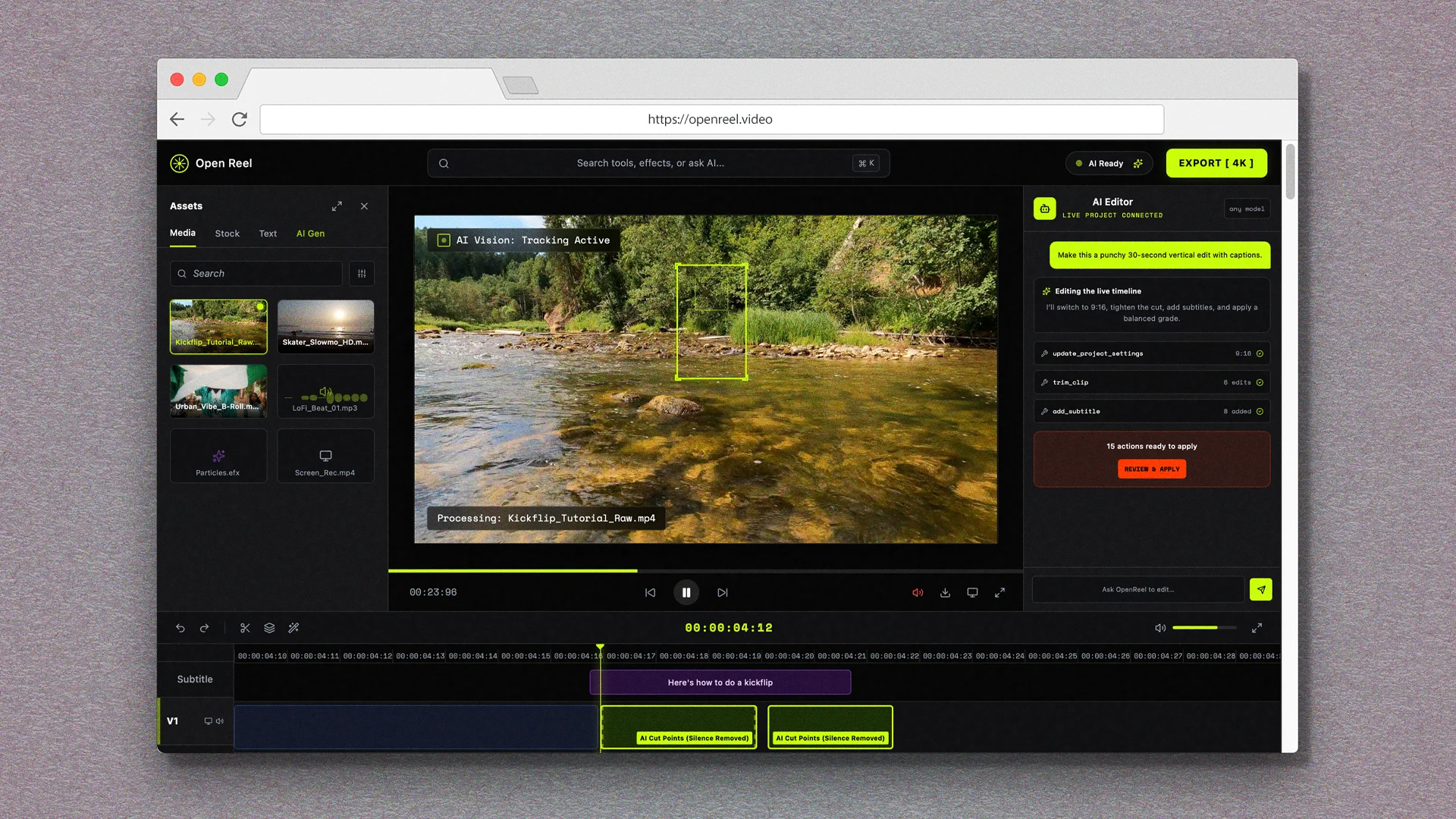
Editing videos is one of those things most of us don’t have to do too often—at least not at an especially high level—so it’s understandable if you don’t have a dedicated professional-grade video editor. The built-in editor within your phone’s photo app works well enough for quickly cutting a video down to size.
But what if you want to combine multiple videos into a single file? Or do things like add captions or background music? That’s where timeline-based editing software comes in. These applications let you combine multiple video files into a single timeline, then tweak the transitions.
Finding a free, powerful video editing tool that works on any kind of device (and is actually easy to use!) has traditionally been a real challenge. Today, though, I’ve got the long-overdue universal answer.
This tip originally appeared in the freeCool ToolsnewsletterfromThe Intelligence. Get the next issuein your inboxand get ready to discover all sorts of awesome tech treasures!
Timeline-based video editing in your browser
The next time you need to quickly combine a bunch of videos or do any other more advanced video editing, there’s a commendable free option—and you don’t need to install anything.
➜ OpenReel Video is a full-featured video editor that runs entirely in your browser—or, if you’d rather
⌚ You can open the site or app and start using it right away, with results in as little as a minute or two.
