


ArtCraft Rebuilds Seven Adobe Apps for Free—but Testers Hit Hard Limits
October 17, 2026 at 07:00 PM
|Author: QUASA Editorial Team|5 min read|1153
ArtCraft’s app catalog lists PhotoCraft, LightCraft, VectorCraft, DesignCraft, FilmCraft, EffectCraft and a PDF tool now called PdfCraft among its free, Rust-built apps for macOS, Windows and Linux. The catalog has grown beyond the original seven and describes those apps as early alpha or in development. Installers establish that the software is available; they do not establish that a project can be finished reliably.
What the seven apps can do in independent tests
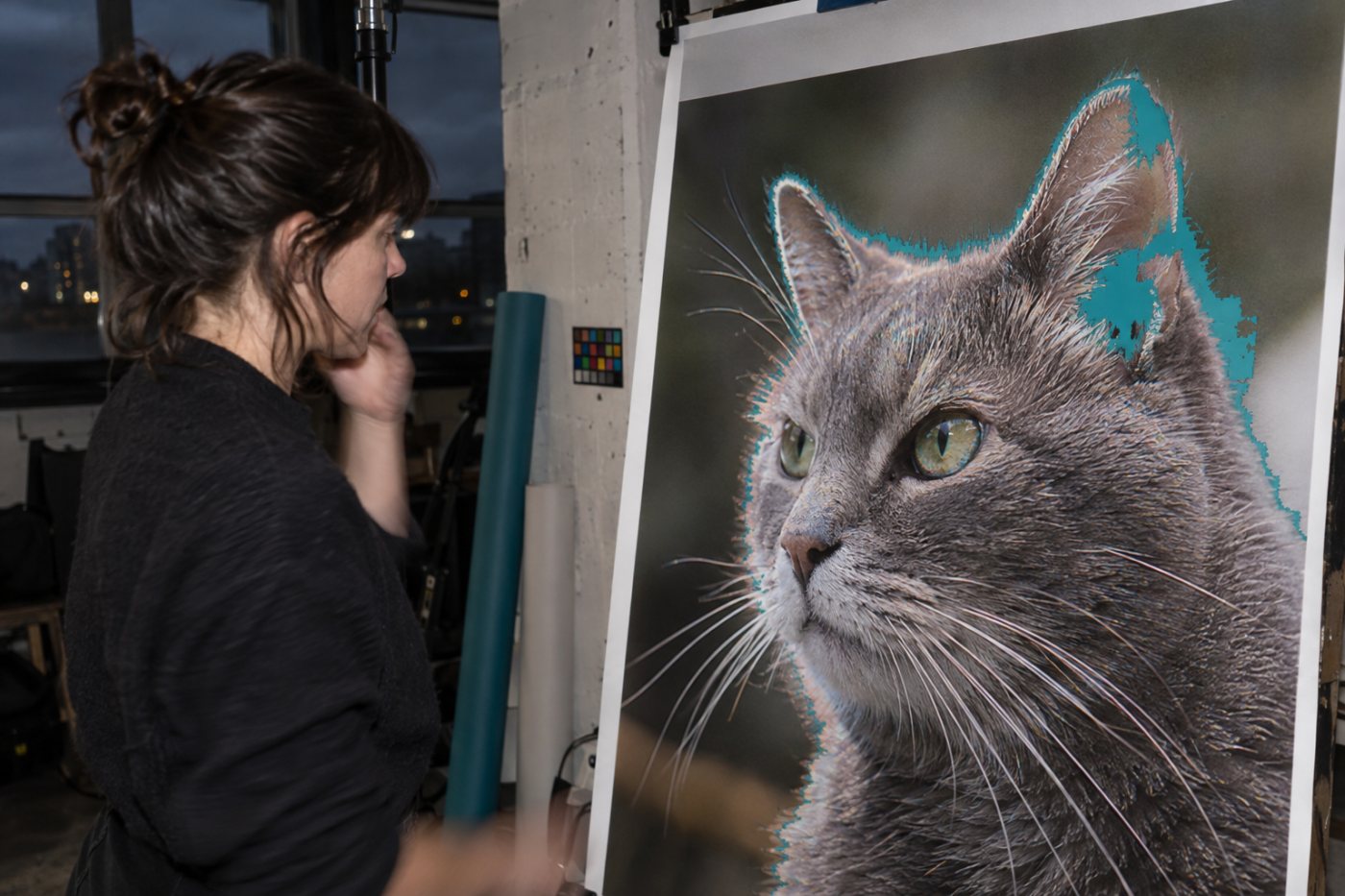
The clearest task evidence concerns PhotoCraft, LightCraft and FilmCraft. A separate TechRadar test on an Intel-based MacBook Pro tried PhotoCraft and FilmCraft, while the Windows test also included LightCraft. The results below describe those particular runs, not every platform or file type.
- PhotoCraft, image editing: On Windows, the app opened and saved PSD files and offered adjustment layers, masks, blend modes and filters. Automatic selection, healing and content-aware tools were imprecise, filter previews did not appear, and HEIC input was unavailable. On the Mac, object movement, titles and color correction worked after photos were converted to JPG, but selections sometimes failed to hold. A layered PSD save failed on that machine; the publication later clarified that the feature exists, although it had not worked in its test.
- LightCraft, photo development: Light, tone-curve, HSL and color controls worked in the Windows run. Sharpening produced conspicuous artifacts, and an attempt to select a cat as the subject appeared to create a radial mask instead. Camera-matched color and lens profiles were absent. Object selection and AI denoising required separate model installation. The Mac test did not include a LightCraft task.
- FilmCraft, video editing: Both tests reached a project timeline. On Windows, converted footage could be trimmed, cut and given transitions, but the original 10-bit 4:2:2 clips would not play. Without a native way to create optimized media, editing the tested 4K footage was slow enough that it was downsized first. On the Mac, the blade tool could split a clip, but dragging a clip edge to shorten it failed; playback of the tested clips produced static instead of usable audio.
- VectorCraft, vector illustration: It is listed with an installer, but neither of these hands-on tests documents a completed drawing task.
- DesignCraft, page layout: It is listed with an installer, but neither test documents a layout or export task.
- EffectCraft, motion graphics: It is listed with an installer, but neither test documents a composition or render task.
- PdfCraft, PDF work: The current catalog uses this name for the tool called PrintCraft in the original announcement. Neither test documents a PDF editing or export task.
File handoffs reveal the practical limits
PhotoCraft’s PSD support worked on one Windows setup but failed at the save stage on the tested Mac. That difference matters to anyone moving a layered file between editors: the presence of a format in a feature list does not guarantee that the particular handoff will succeed. HEIC posed an earlier obstacle on both machines, requiring conversion before the tested photos could be edited.
FilmCraft’s basic timeline became useful on Windows only after the camera footage was converted, then reduced in size for smoother editing. Once prepared, the clips could be cut and arranged, and the tester could import LUTs and make basic color adjustments. The app could not open or save Premiere project files in that run, so those edits did not amount to an interchangeable Premiere workflow.
The Mac run exposed a different interruption after clips reached the timeline: an ordinary edge trim failed, and the tested audio played as static. Those failures concern specific footage and a specific machine, but they affect routine editing tasks rather than advanced effects. A working timeline offers limited value when a creator cannot trim or hear the material being edited.
Full parity remains a developer target
In a Reddit post linking the original seven repositories, the developer wrote, “We’re going to reach 100% parity within a month.” The post identified the Acrobat-like project as PrintCraft and described the code as open across the apps
The distinction is especially important for the four products without completed tasks in these tests. Their listings show the breadth of the project, while the photo and video results show both functioning controls and broken steps in ordinary work. Familiar layouts and available installers cannot establish equivalent file compatibility, editing precision or finished output across a creative suite.
Legal and security concerns remain separate from usability
Tom’s Hardware’s launch coverage described the developer’s claim that no Adobeafety of rapidly produced, AI-assisted code. Those concerns are distinct from the observed editing failures; they are not findings of infringement or a documented security incident. Publicly available code allows scrutiny but does not, on its own, settle either question
For creators with existing projects, the immediate consequence is the interrupted handoff: images may need conversion, layered saves may fail on a given machine, and video footage may require preparation before editing—or play without usable sound. Future releases will need to resolve those concrete failures before the proposed replacement can be judged through finished work rather than its app count.
- DocuSign vs Dropbox Sign: Send Limits Can Erase the Price Gap
- Google’s Universal Gemini Agent Works Across Apps—but Starts With Enterprises
- Carta vs Eqvista: Free Limits Hide a 409A Pricing Split
Canva Pro vs Adobe Express: A $24 Gap Hides Two Different AI Limits
Oct 17, 2026
Creator Tools & Economy83
Apple Tightens Full Disk Access—but the New Controls Have No Date
OpusClip vs Klap: Long Videos Can Reverse the Cheaper Plan
Oct 14, 2026
Creator Tools & Economy5
Namespace Raises $42M—Revenue Grew Eightfold in 12 Months
Oct 11, 2026
Startups & Business21
YouTube AI Labels Do Not Cut Monetization—but Skipping One Can
Oct 3, 2026
Creator Tools & Economy39
Professional Headshots Cost: 5 Real-World Price Ranges From $50 to $1000+
Oct 13, 2026
Creator Tools & Economy5
