


Twenty minutes into a batch of forty shots for Lost Garden, six tiles were still sitting there with a spinning wheel and no progress bar. I did what most people do the first time this happens: I hit cancel, resubmitted the same six prompts, and went to make coffee. Fifteen minutes later, four of the original jobs finished anyway, credits spent twice, and I had eight duplicate clips to sort through instead of a clean six.
Most AI video generations that look “stuck” are not broken. They’re sitting in a job state your dashboard doesn’t clearly label, and resubmitting just adds a second job to the back of the same queue. Every AI video tool, from Higgsfield to Runway to Kling, runs generation as an asynchronous background job, not a live render you’re watching happen in real time. Once you know the actual states a job moves through, “stuck” stops being a mystery and becomes a decision: wait, or retry.
What does “stuck” actually mean in an AI video generation job?
When you submit a prompt to a video model, the tool doesn’t generate it on the spot. It creates a job, hands it to a queue, and gives you back an ID to check later. That job moves through a small set of states, and nearly every provider uses some version of the same four: queued, processing (or in_progress), completed, and failed. A small number add a fifth, like Higgsfield’s nsfw flag for content that got auto-rejected mid-pipeline.
“Stuck” almost always means one of two things, and they call for opposite reactions:
- Still queued. The job hasn’t started rendering yet because the provider’s GPU capacity is full. This is normal during peak hours and can take anywhere from a few seconds to several minutes depending on demand and your account tier.
- Silently failed without updating the UI. The job actually errored out, but the interface hasn’t refreshed to show it. This is where checking the job status directly, instead of just staring at the spinner, saves you the guessing game.
Runway’s own help documentation addresses this exact question head-on. Their guidance for a stuck generation: hover over the tile, cancel it if it’s genuinely gone nowhere, then retry, rather than assuming the platform is down.
A failed job and a slow job look identical on the surface, a spinner that hasn’t moved, but the causes are completely different. In 2026, across the major providers, the recurring failure causes are:
- Content policy flags. A prompt or reference image trips a safety filter mid-generation, not at submission. This is why a job can sit in “processing” for a while before failing instead of rejecting instantly.
- Rate limiting. Submit too many jobs too fast and the API returns a 429 response. This one is safe to retry after a short backoff, it isn’t a real error, just a request to slow down.
- GPU memory or complexity errors. Very long clips, unusual aspect ratios, or heavy reference-image loads can exceed what a single render pass can handle.
- Connection drops during upload. If a reference image or video fails to fully upload before the job starts, the generation has nothing to work from and fails downstream instead of at submission.
Most providers explicitly design around this: credits for failed generations are refunded automatically, and every charge and refund shows up in your usage history. That single fact changes how you should react to a failure. A failed job isn’t a loss you have to accept, but it also isn’t proof the platform is unreliable.
How do Runway, Kling, and Higgsfield each handle this?
This is the part that trips up anyone running a pipeline across more than one tool, which is most solo AI <a href="https://cinemamix360.com/2026/09/17/cpj-condemns-israeli-threats-against-naza-filmmakers/” title=”CPJ condemns Israeli threats against ‘NAZA’ filmmakers”>filmmakers by necessity: the vocabulary isn’t standardized. Higgsfield’s API documentation is explicit that generation is asynchronous and expects you to poll the job status roughly every 30 seconds until it resolves to completed or failed. Runway’s developer docs describe a comparable state machine and dedicate an entire error-handling page to how task failures should be read and retried. Kling’s most common surfaced error, “Failed to submit task, please try later,” is a queue-capacity message, not a content or account problem, and usually resolves itself within a few minutes without any change to the prompt.
None of this is documented in one place a filmmaker would naturally find, because it’s written for developers integrating the API, not for someone running fifty generations a day through a web dashboard. That gap is exactly why watching the spinner and guessing is still the default behavior for most people making AI video.
You don’t need to write code to apply the logic that API integrations already use. The habit that actually works is treating every submission as a job with a status, not a request with an answer:
- Log the submission time and job ID for every shot, even in a plain spreadsheet. If you can’t tell how long something has actually been waiting, you can’t tell queued from stuck.
- Give it a real timeout before you touch it. Ten to fifteen minutes of no status change is a reasonable point to check, not to cancel automatically.
- Check the account’s usage or job-status page directly instead of trusting the dashboard tile, which is the layer most likely to be out of sync with the actual backend state.
- Only resubmit after confirming a failed state, never from a queued or processing state, since that’s what creates duplicate charges and duplicate clips to sort through later.
This is also why ScreenWeaver tracks a status field per shot in the shot-planning stage instead of treating a generation as fire-and-forget: once you’re running dozens of shots through a pipeline, “did this actually fail, or is it just slow” needs an answer you can see at a glance, not a memory of which tab you last checked. On that same Lost Garden batch, going back through job IDs instead of tile spinners showed that only two of the six “stuck” shots had actually failed. The other four finished on their own, right around the time I’d already resubmitted them.
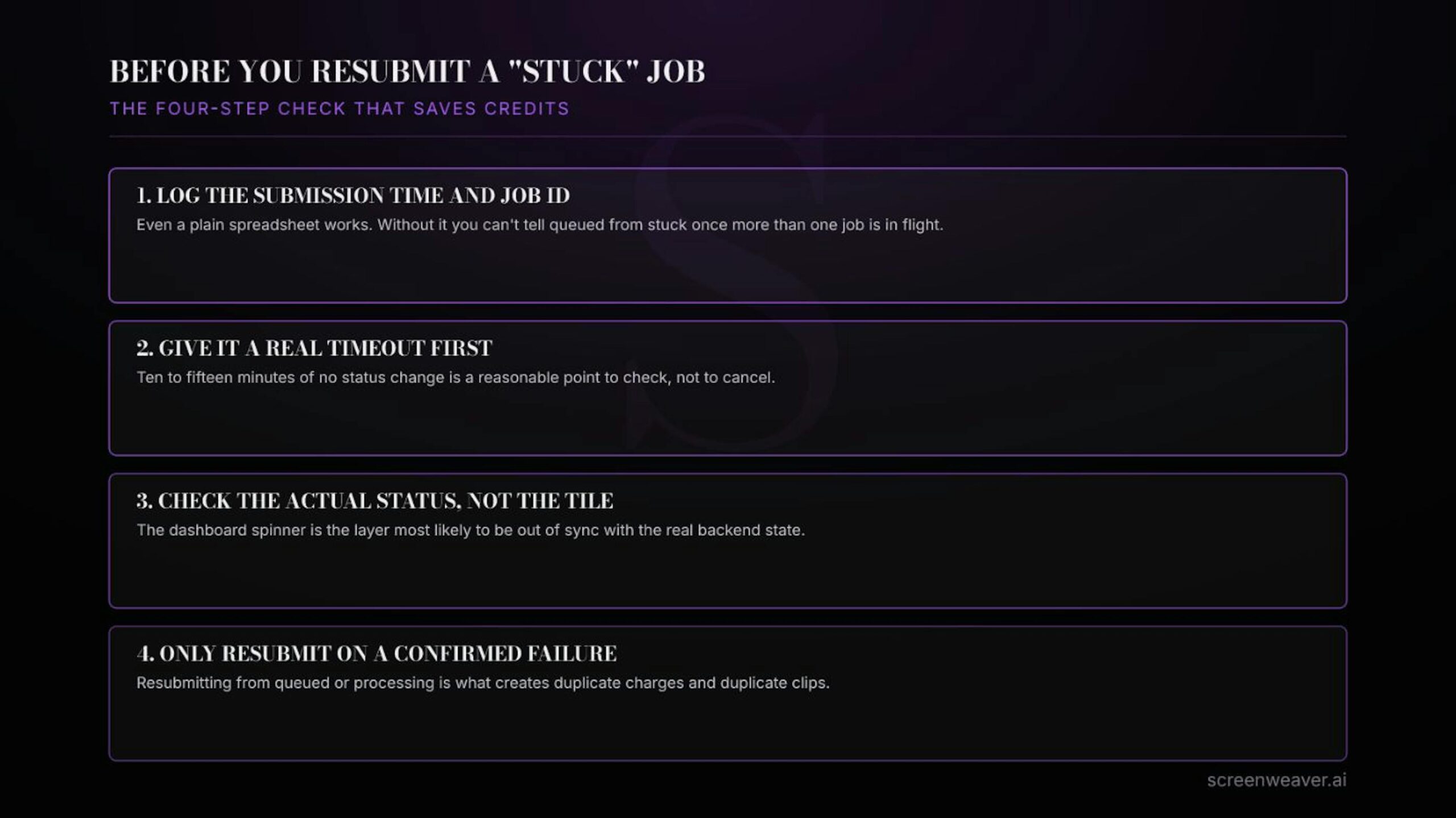
Four checks to run before resubmitting a generation that looks stuck
Common mistakes to avoid
- Resubmitting from a queued state. This is the single most common cause of duplicate credit spend, and it’s avoidable just by checking the actual status before you act.
- Treating every failure as a platform outage. Most failures are content flags, rate limits, or capacity, not downtime, and the fix is different for each.
- Not logging job IDs. Without them, you have no way to distinguish “still queued” from “actually gone” once more than a couple of jobs are in flight at once.
- Canceling too fast during peak hours. Queue depth genuinely varies by time of day; the same prompt that queues for two minutes at 3pm might clear in seconds at 3am.
Does a stuck AI video generation still cost credits?
Not usually while it’s queued or processing. Providers generally refund credits automatically once a job resolves to failed, and that refund is recorded in your account’s usage history, so it’s worth checking there before assuming the credits are gone.
How long should I wait before treating a generation as failed?
There’s no universal number, but ten to fifteen minutes of no status change, checked against the job’s actual status rather than just the dashboard spinner, is a reasonable point to investigate rather than immediately cancel.
Is a 429 error something I should retry?
Yes. A 429 response means you’ve hit a rate limit, not that anything is broken, and it’s generally safe to retry after a short pause.
Do all AI video tools use the same job states?
No. The underlying pattern, queued, processing, completed, failed, is close to universal, but the exact labels and how quickly the UI reflects a state change differ by provider, which is exactly why checking status directly matters more than trusting the tile.
If you’re building anything that generates more than a handful of AI video clips a week, across more than one provider, it’s worth treating every submission the way an API integration would: as a job with a status, not a click-and-forget request. It’s a small habit that saves real credits and real hours once the volume goes up. If you want to see what that looks like built into an actual pre-production workflow, ScreenWeaver tracks shot status through generation as part of the planning stage, and Lost Garden is the series it’s been built against, shot by shot, stuck job by stuck job.
