


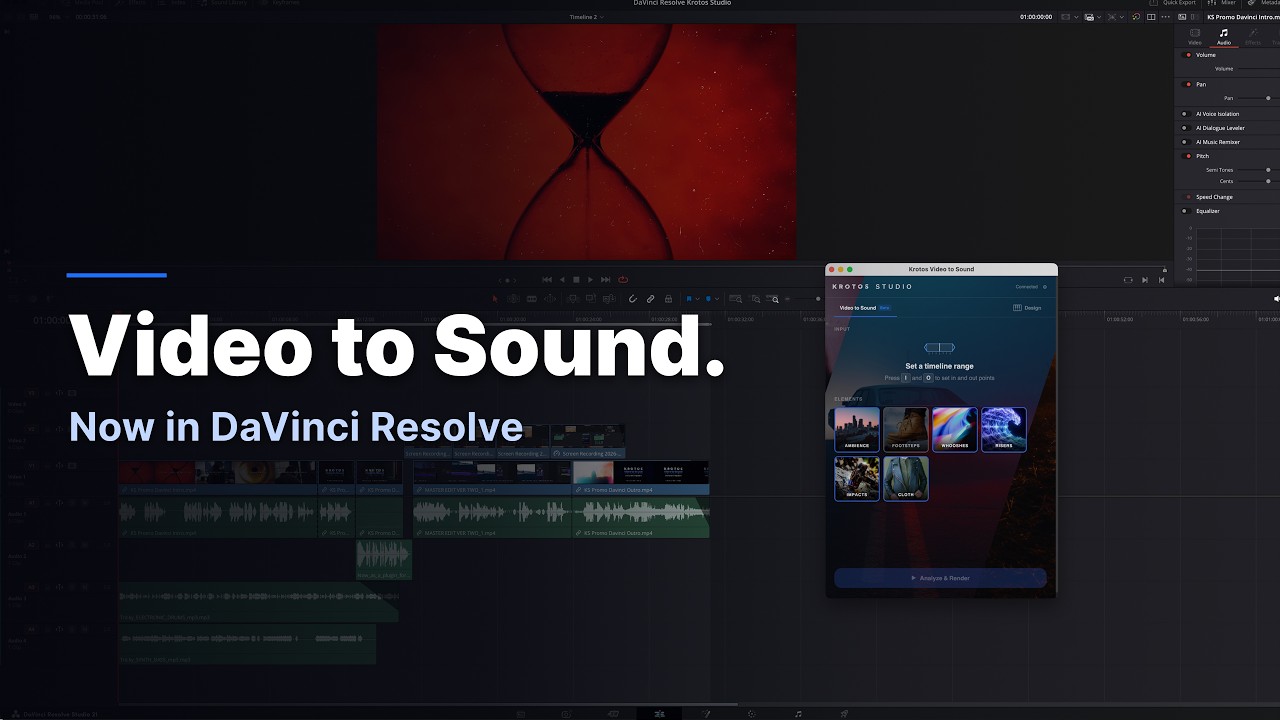
The Krotos Video to Sound Plugin for DaVinci Resolve is an AI-assisted workflow that claims to help editors add synchronized, professionally recorded sound effects directly to DaVinci Resolve timelines
The plugin follows the recent launch of its Video to Sound plugin for Adobe Premiere Pro, and the new integration helps editors quickly build an initial synchronized sound effects pass using Krotos’ library of professionally recorded audio.
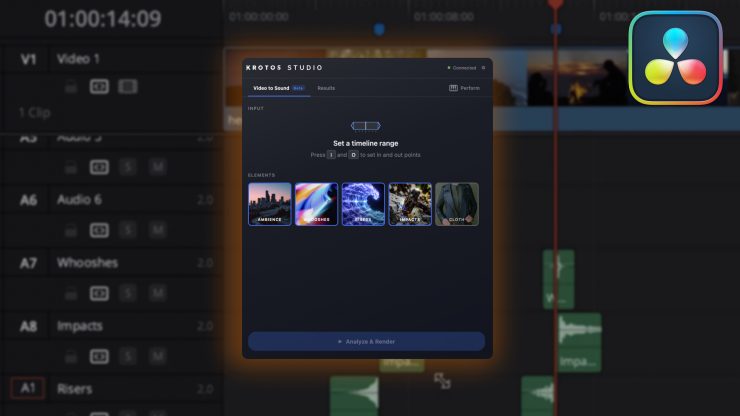
Rather than automating sound design, Video to Sound helps editors quickly create an initial synchronized sound effects pass while leaving every sound fully editable. Editors can refine, replace, or expand on the initial sound pass, allowing them to shape and customize every scene instead of building the first pass entirely from scratch.
Editors select a section of the timeline and choose which sound elements to include before Video to Sound analyzes the scene and places synchronized sound effects from the Krotos royalty-free library directly onto the timeline. At launch, the plugin supports ambiences, whooshes, transitions, risers, impacts, and cloth effects, with footsteps and spot effects planned in a future update at no additional cost.
According to Kronos, Video to Sound only uses AI to analyze picture content and match scenes with professionally recorded sound effects from the Krotos royalty-free library. Every sound placed on the timeline is a real recording from the Krotos royalty-free library, captured by Krotos’ sound designers or properly licensed for use.
Pricing & Availability
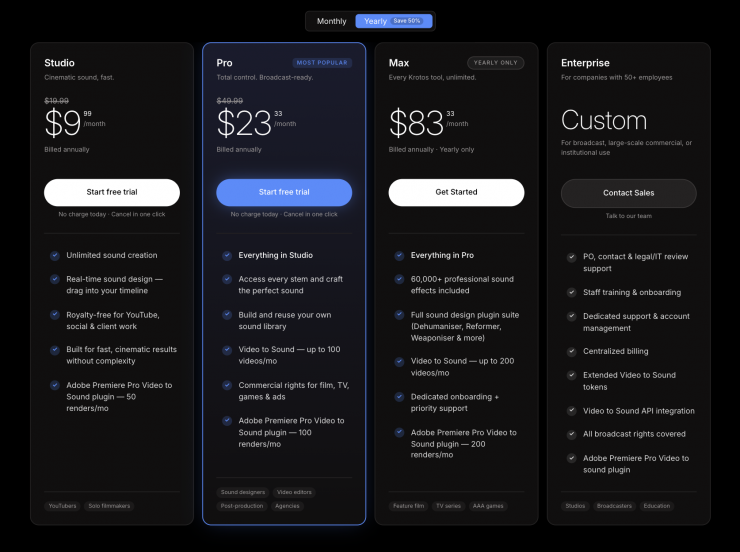
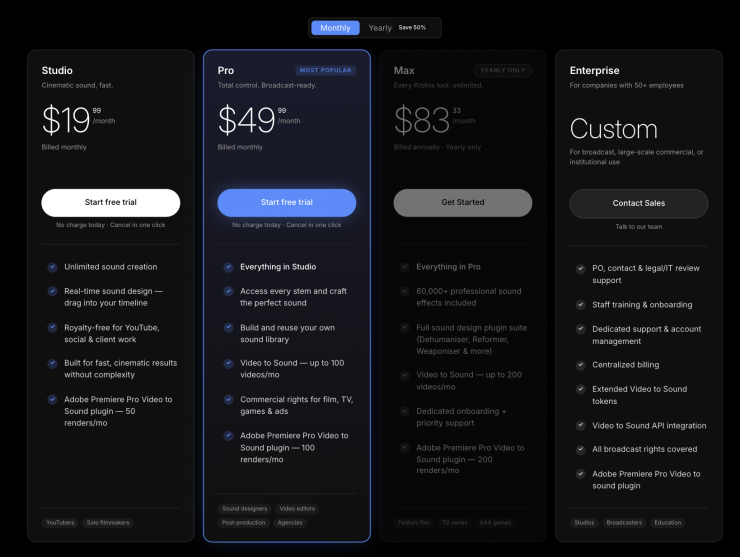
Video to Sound for DaVinci Resolve requires DaVinci Resolve Studio and a Krotos Studio account. Workflow integrations are not supported in the free version of DaVinci Resolve. The DaVinci Resolve integration is included with the Krotos Studio installer and can be enabled during installation. Video to Sound is free to try and available with Krotos Studio, Pro, and Max subscriptions.
