


Most beginners feel frustrated with video editing not because they lack creativity, but because pro software throws them into dozens of tracks and parameters, they don’t quite understand yet. So, it’s important to know where you are on the path from newcomer to veteran and find the right video editor to boost your confidence.
After trying them hands-on, I list 6 easy-to-pro video editing programs for Windows/Mac, and some for Linux and mobiles. Learn about their key features, modern AI strengths, and ease of use. You’ll find one that suits you best.
Top 6 Video Editing Software Compared
|
Windows, Mac, iOS, Android, Web |
|||
|
Tipard Video Converter Ultimate |
|||
|
Budget creators & new YouTubers |
|||
1. CapCut
CapCut is probably the easiest editing software for starting off. It demands little from your hardware. Templates and auto features help you create fancy clips easily. What’s better, it offers presets for vertical videos and direct sharing online, very sociable.
One possible disappointment is the paywalls. I used some features and templates, liked the effects, and then found the export option locked behind paywalls – it showed me the effects to encourage payment. But luckily, it’s still among the best free video editing apps with most core editing features on the house.
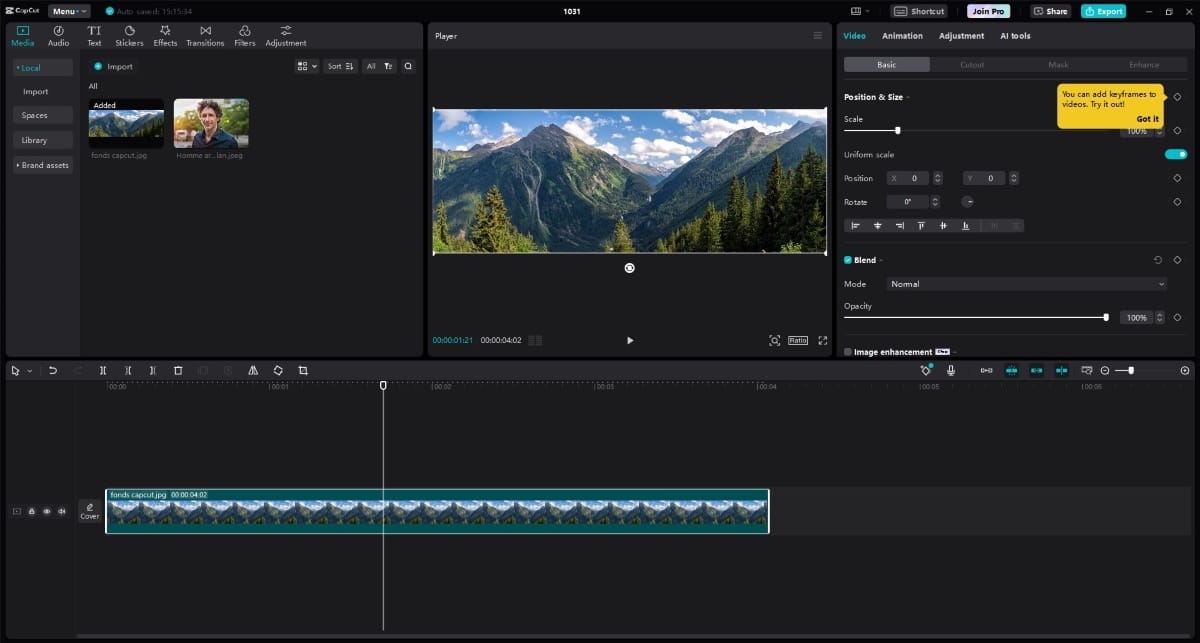
Platforms: Windows, Mac, iOS, Android, and browser
Free Limit: Some templates, effects, and advanced AI tools require Pro.
Pricing: Pro from $19.99/month or $179.99/year
Best for: Beginners with average hardware, and short-form creators on TikTok, Reels, Shorts, etc.
2. Tipard Video Converter Ultimate
Tipard Video Converter Ultimate is also a simple video editing software for Windows/Mac. As a dedicated converter, it contains light but decent editing tools: trimming, cropping, rotation & flip, filters, visual effects, organized in a clear and pleasant interface. I picked it up in minutes even without a guide.
It stands out in its broad support of 500+ video and audio formats, up to 4K resolution. The resolution presets for specific social media and devices really make things easy.
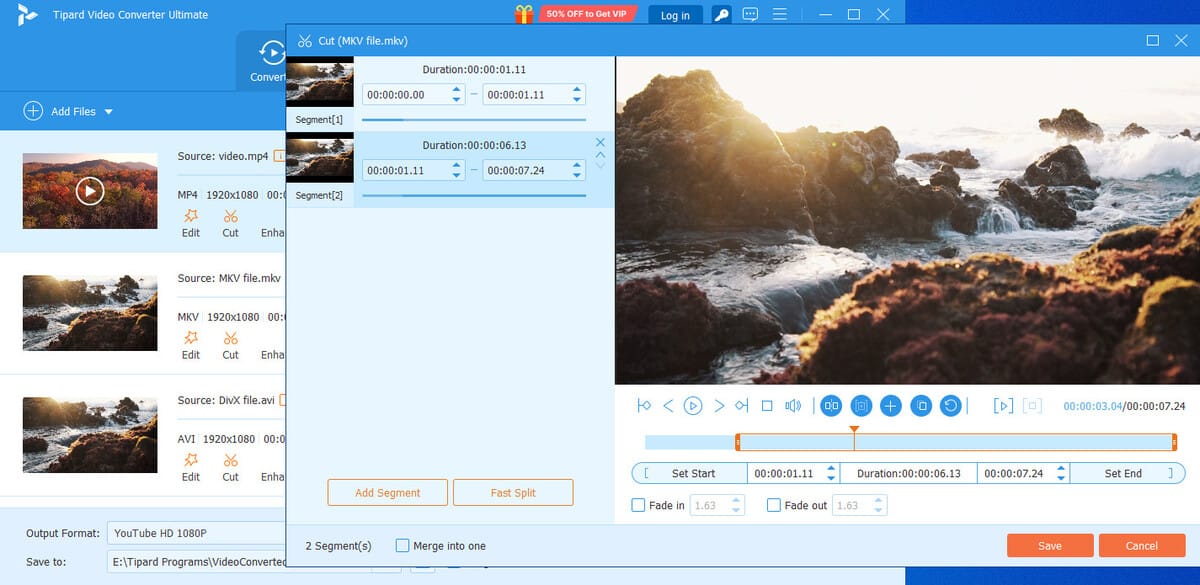
Free Limit: Up to 5-minute output.
Pricing: Lifetime $56 for 1 PC; monthly $18
Best for: Users who need excellent format conversion and compression, along with light editing.
3. Kdenlive
Kdenlive feels like a natural next step once you’ve outgrown simple cutting. It offers a proper multi-track timeline, an effects collection, keyframe animation, color correction, and proxy editing that makes 4K manageable even on average hardware.
The UI looks a little cluttered and plain, and it doesn’t have templates or AI-powered smart tools, so it takes a bit more to learn.
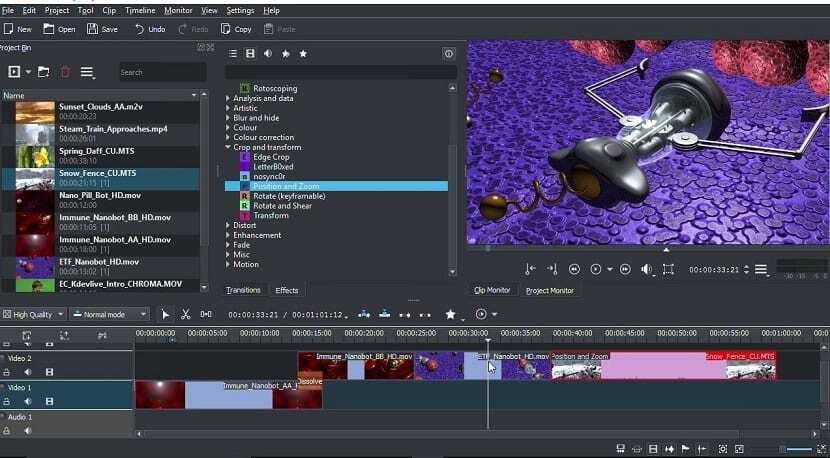
Platforms: Windows, Mac, Linux
Free Limit: Fully free with no limit
Learning Curve: Easy to Moderate
Best for: Casual creators and intermediate creators. Best video editing software for YouTube beginners.
4. Final Cut Pro
Final Cut Pro is a great video editing app for Mac users. It’s developed by Apple itself and optimized for Apple Silicon. It uses a unique trackless magnetic timeline, meaning clips automatically snap together. You can move a clip around freely without asking “At what time should it come in?”.
I can hardly say anything bad about it. The biggest limitation is probably the platform: it’s Mac and iPad-only.
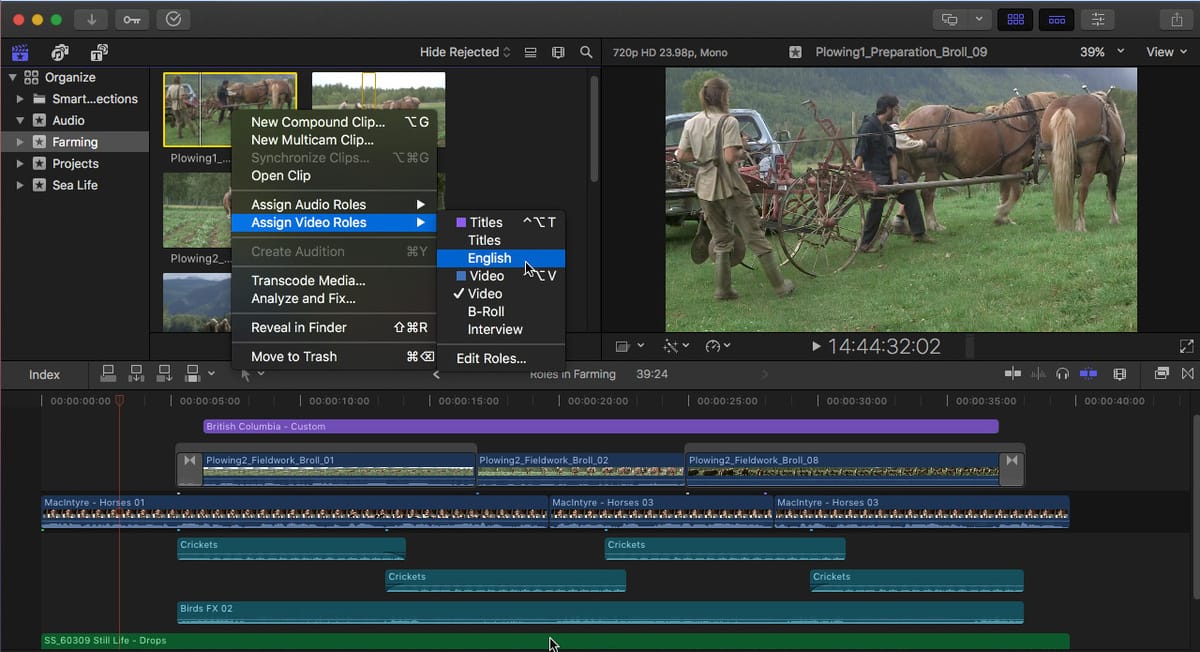
Free Limit: 1-month free trial
Pricing: $299.99 one-time for Final Cut Pro, or $12.99/month included in Apple Creator Studio
Best for: Mac users who want fast speed and professional experience.
5. Adobe Premiere Pro
Adobe Premiere Pro is the industry standard. It’s built for serious long-form work. Advanced projects like multi-cam, color correction, audio mixing, and complex motion graphics are where it rules. It’s also integrated with Adobe After Effects, Photoshop, and Audition, so you can transfer projects freely.
The trade-off is a steeper learning curve. It also demands decent hardware if you’re working on high-res videos, like 4K.
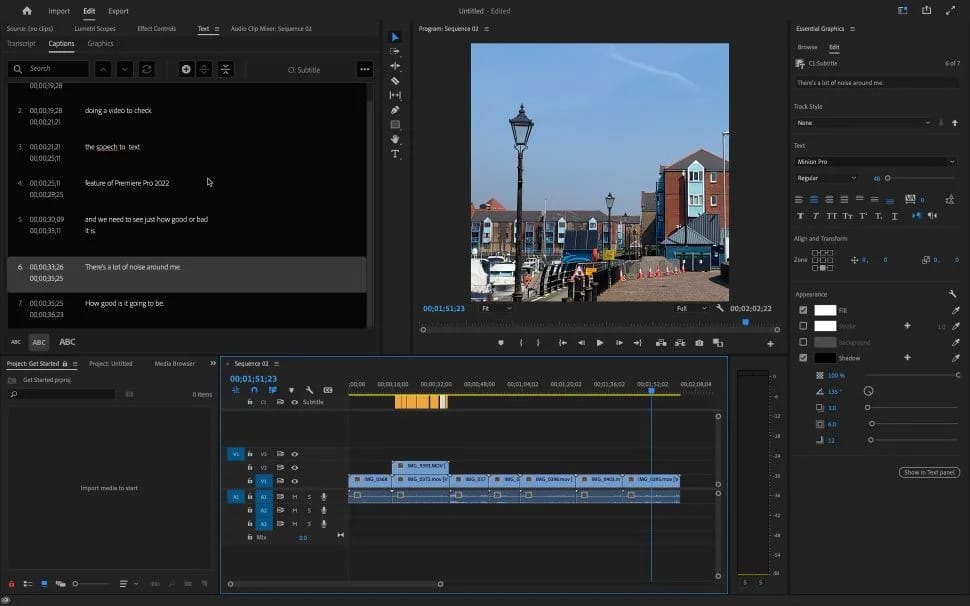
Platforms: Windows, Mac, iPhone
Free Limit: 7-day full free trial.
Pricing: $22.99/month in the annual plan
Best for: Professionals, agencies, teams, and those already working in the Adobe ecosystem.
6. DaVinci Resolve
You’ve probably heard of DaVinci Resolve, one of the best free video editors. People speak highly of it because it provides pretty much anything a professional editor needs: video trimming, editing, AI enhancement, color grading with nodes and scopes, and even a complete audio toolbox. It has everything you need, and remains permanently free to access.
With all its strong features, it needs a high-end GPU and has a steep learning curve. It took me, an absolute beginner, about 4 hours to get the hang of the basics, and there’s still a lot more to learn about.
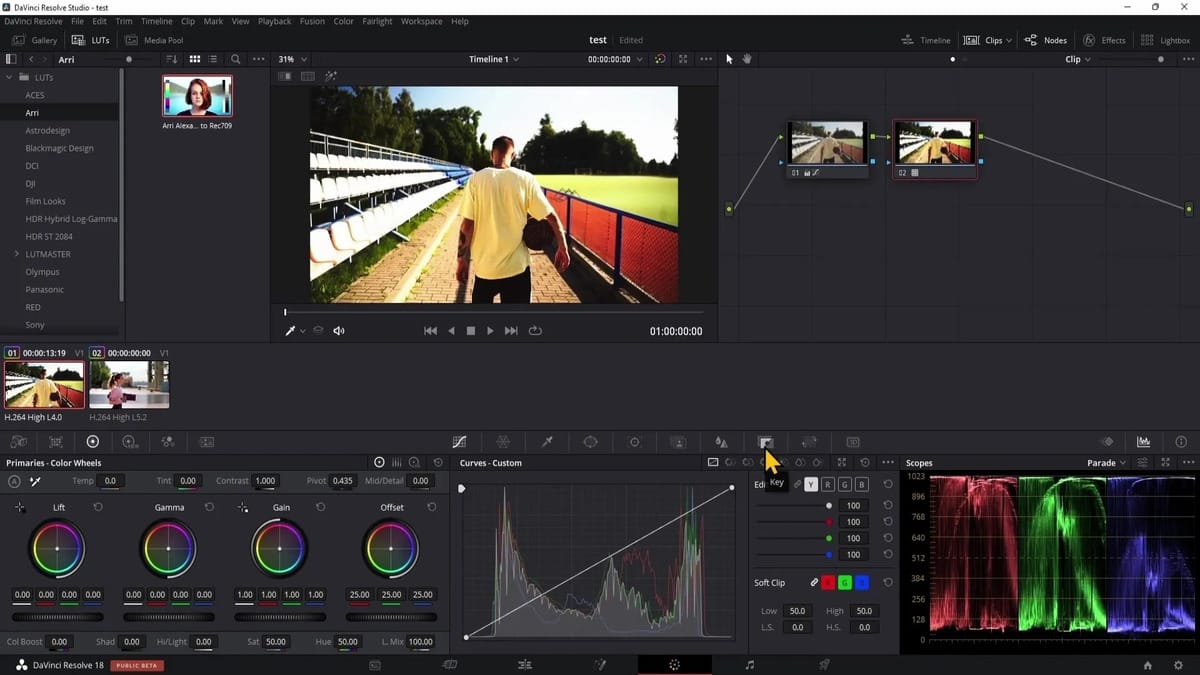
Platforms: Windows, Mac, Linux
Free Limit: Permanent free version with core features. Advanced AI tools, noise reduction, and 4K+ resolutions require the paid Studio.
Pricing: $295 one-time for Studio
Best for: Serious filmmakers on a budget. It’s also the best free editing software for 4K videos.
Best for short vertical videos: CapCut
Best format compatibility: Tipard Video Converter Ultimate
Best free powerhouse: DaVinci Resolve
Best for pro users on Mac: Final Cut Pro
Industry standard: Premiere Pro
Conclusion
For those new to video production, CapCut and Tipard Video Converter Ultimate are the best video editing programs for beginners. When you grow into an advanced creator, Premiere and DaVinci Resolve will be your ultimate choices.
Read NextSnowfall Spinoff The Drop Is on FX and Hulu Without Franklin Saint
